

Developers and designers work hard to create successful apps that people enjoy using. They put tons of research, late nights, blood, sweat, and tears into their projects. Once their ‘baby’ is released into the wild for all to use, the creators’ first reaction is to see how people like it by reading the reviews. The creators need to be ready for all of the positive, negative, and in-between responses. However critical the reviews may be, the feedback is vital for app improvement.
“Be prepared to shift with what your community wants.”
-Katrina Scott Co-Founder of Tone It Up
After the reviews are in, companies can synthesize and find like patterns to piece together whole ideas. A great way to merge users’ feedback is by creating Point Of View statements.
What’s a Point Of View Statement?
Instead of merely stating a problem, a Point Of View Statement (POV) takes a user problem and reframes it into an actionable statement. This new statement allows designers to ideate with the users’ goals in mind. A typical POV statement follows the formula listed below:

Creating POV Statements Using Real-world App Reviews
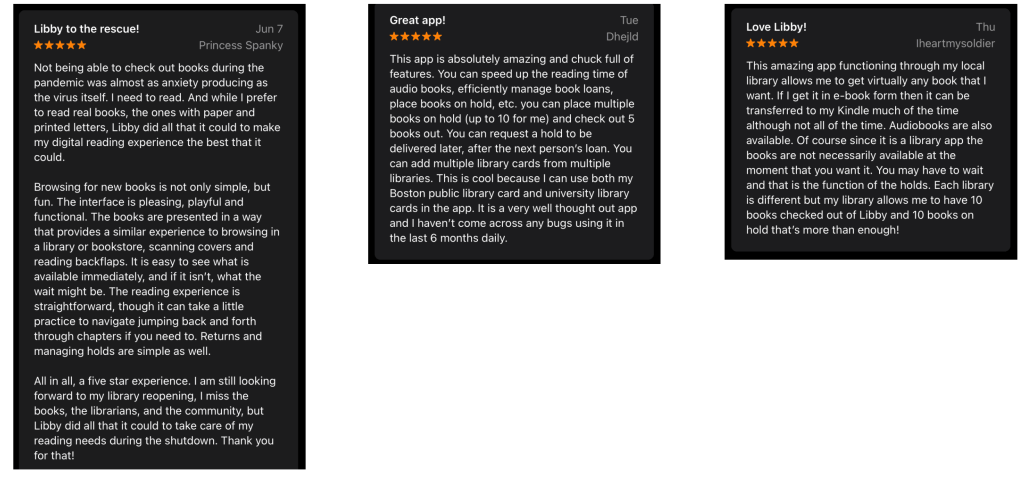
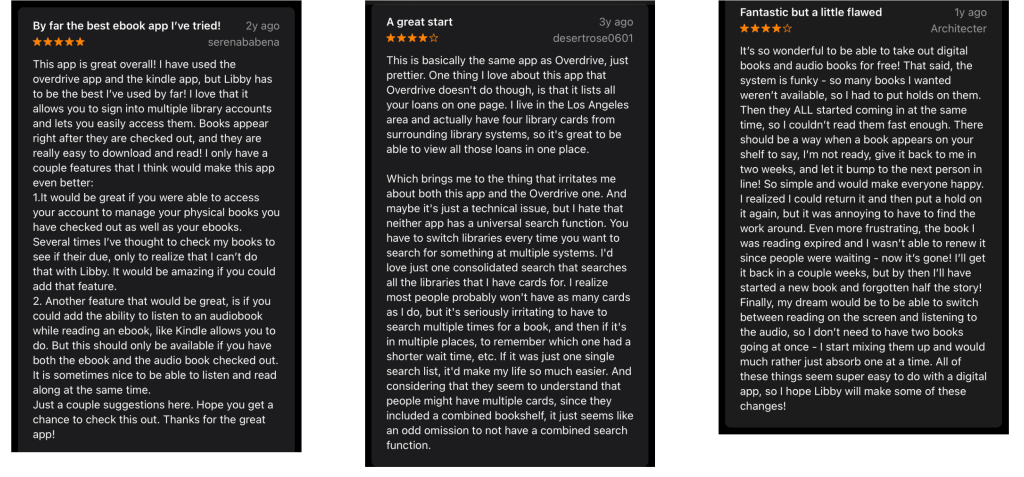
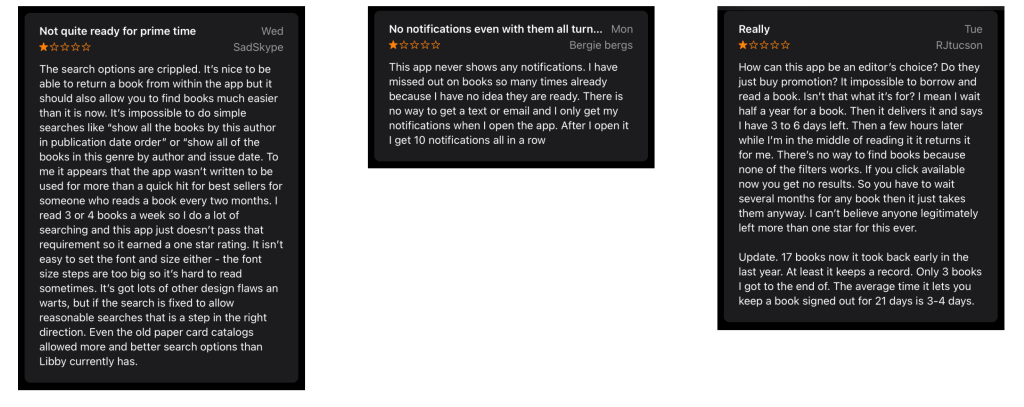
To begin creating a POV statement, it is essential to see all sides of the users’ story. Select positive and negative reviews plus some that give suggestions for improvement- we’ll call them ‘suggestive.’ After reading through, patterns will emerge, many reviews will mention similar topics. Then, it’s time to combine the users, their needs, and insights together to complete the POV statement. Below is an example of this exercise using the app Libby.

This popular library app allows users to read books and audiobooks from a digital catalog. The app is free, and so are all of the downloads. The only requirement is for you to put your library card on file. Many 5-star reviewers were happy they had a place to get library books when the library was closed due to the pandemic. Other more disgruntled users did not like the hold feature. Users complained that when a book they were waiting for was available to be checked out, they were not notified so they had no time to read the book. Many reviewers also did not like the search functionality; they felt they were not able to find new books by their favorite authors or in their preferred genre.
Positive Reviews
Suggestive Reviews
Negative Reviews
Libby Point of View Statements
- Avid readers who put multiple books on hold need notifications when their book are available because they do not know when their book is available and when they do finally download it, their borrow time is very short so they cannot finish reading/listening to their book.
- Bibliophiles who read multiple books a week need a more robust search feature because the the current search function works best if you know the book title but not by author or genre.
The Final Word
What I found most interesting after reading the positive, negative, and suggestive reviews was that they commented on the same general issues. However, the positive reviewers had a better outlook on what they did not like, and they did not entirely dismiss the app. It was as if they saw past the flaws and enjoyed the good pieces. On the contrary, negative reviewers were down about the entire app. Suggestive reviewers gave them details regarding what needed to be improved which is beneficial for developers.
From all this feedback, designers and developers can enhance the user experience. By organizing the data and piecing together the reviews, the creators can reframe the problem into actionable Point of View statement. They can then go back and refine their work to eventually lead to a better product for all.
Click here for more Point of View Statements

 To Mulberry Street Marketing & Design
Leave a comment