

When scrolling through social media or reading a website, it’s always something moving across the page that captures my eye and gets me to stop. It could be a short animation or a looping gif that makes me want to see more and laugh at the silliness. I also love using animated graphics as a way to express myself via text when simple words on a page just won’t convey my feelings accurately.
Recently, I started learning about motion graphics and found a compelling quote in the book Animated Storytelling. The author, Liz Blazer states animation graphics is a way to “connect with audiences in a meaningful way.” I wholeheartedly agree. Seeing someone dance and smile from excitement is a far more effective way to convey emotion than words on a page. Below I will share my experience creating animated gifs, from my research to execution.
READING & WRITING
Not knowing how to begin, I referenced the book Animated Storytelling which taught me key steps in creating a motion graphic. Blazer outlines the key ingredients needed for a successful animation graphic:
Plan
Creating effective animation begins with a lot of planning. Start with gaining some direction, ask yourself: what are you trying to accomplish? Blazer suggests asking these additional questions:
- What is it?
- What does it look like?
- What is made of?
Next brainstorm ideas. Use sticky notes, post them on a wall, then brainstorm some more. After about 15-30 minutes, begin to circle the ideas that rise to the top and make connections. Then build on your ideas, ask yourself “Yes, and….” a technique used to help keep adding to your story.
Prepare
Once you have a solid plan in place, begin preparing your animation. First, set the tone of your piece, summarize the animation in a one-sentence elevator pitch. Then begin visualizing how your animation will come to life, get inspired by watching other animations, look at books, see what other artists are creating. The last step in preparing for creating an animation is to experiment with different techniques and see which works best for the story.
Execute
With a solid plan in place and an idea of style, start developing the animation assets. Create the characters, set the scenery, and build a storyboard. Map out each scene and thoroughly think through how each action will be showcased. As you sketch each frame, refine the story, things may change as the story comes to life. Allow for the story to be a bit fluid at this stage. You may have to go back and revise your elevator pitch or even your technique. It’s very difficult to make revisions once the animations are being built.
RESEARCH TO INFORM
Now that a foundation was set, I began thinking about what kind of gifs I’d like to create. It helped to research other gifs on the web to get some idea of what was possible. Below are some that inspired me most:
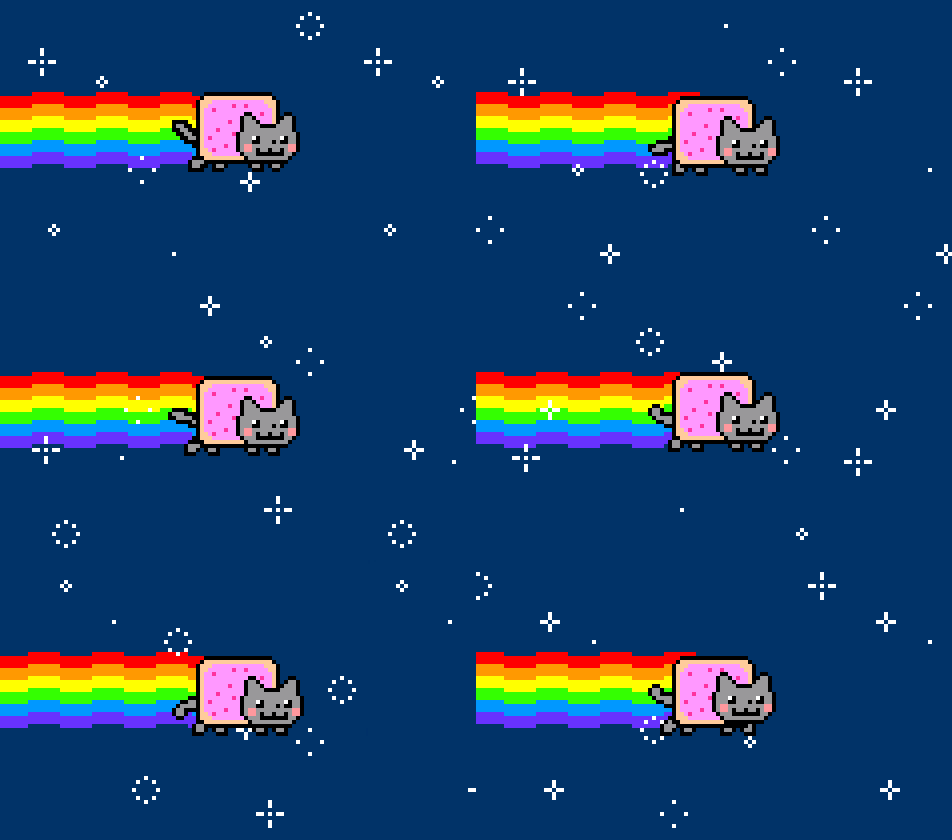
Nyan Cat is the first gif that made me realize gifs can be a fun and effective way to communicate. Seeing this pop tart-cat flying through space puts a smile on anyone’s face and I especially love that the graphic loops seamlessly.
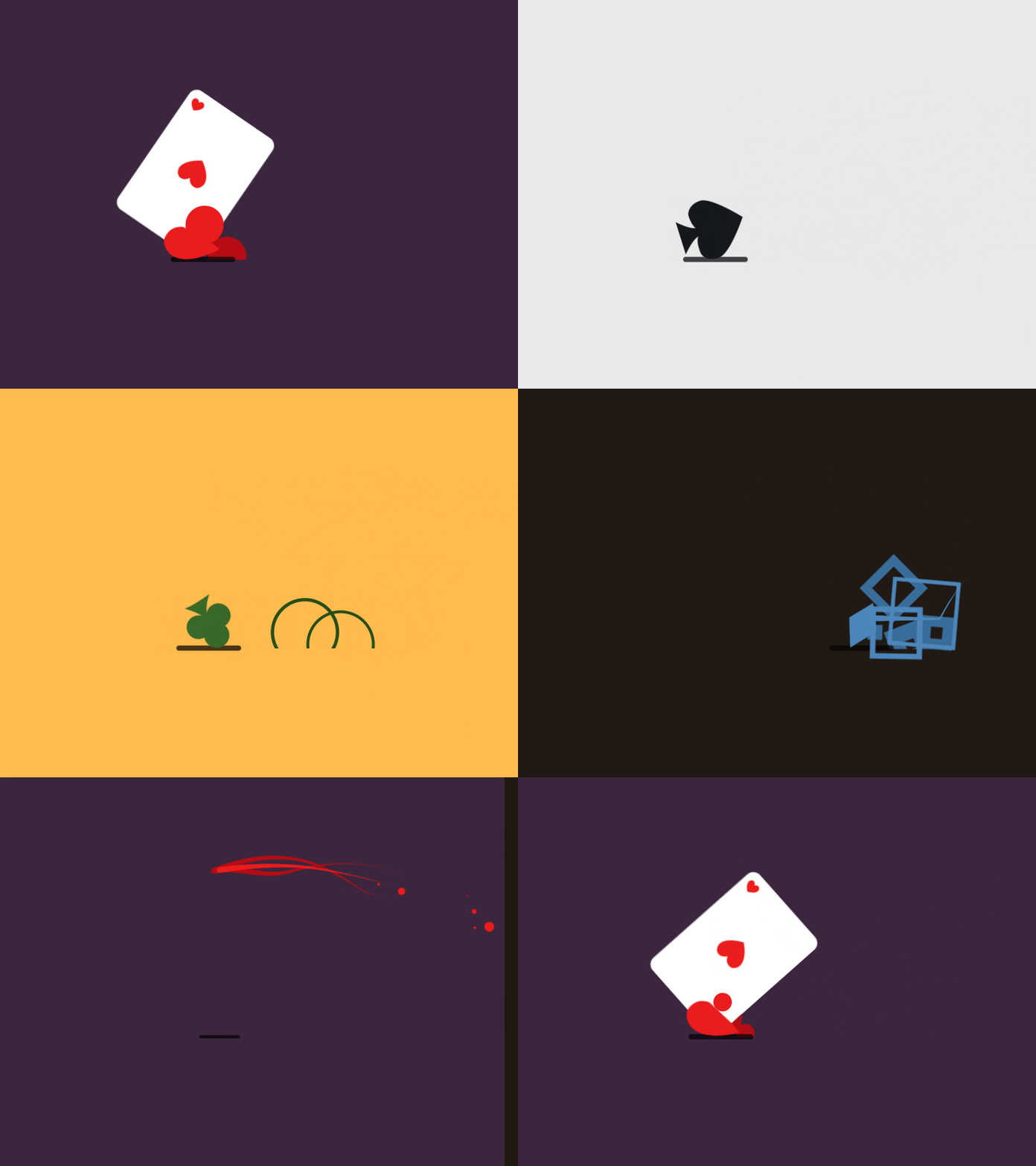
This gif is beautifully designed and well-The transitions between the playing care suites are seamless and the entire gif is animated beautifully. I appreciate how well thought out this gif is.

The Conversable logo gif animation is very inspiring. The colors are so vivid and I love the variety of the shapes used to reveal the logo. It is very unique.

When still photography is brought to life with motion, it just feels magical. The juxtaposition of black and white still photography and color movement draws your eye in.

Because text messages can be misconstrued easily, I enjoy using gifs like this one to let the person know how I feel about a situation. The movie Elf is so classic and this scene is over the top expressive, my friends instantly understand that I’m excited.
CREATE
While reading Animated Storytelling and researching other gifs, I began thinking of what I’d like to bring to life. The first thing I really wanted to animate was a bumblebee flying into a logo that I created. Then I also considered things that would be beneficial to my portfolio so I thought of my logo and my blog name. Now that I had some core ideas, I needed to execute them in a variety of ways to help me learn more about animation. I created a version using the tweening technique, then onion skinning, then lastly a cut out. Below are my creations and their techniques.
Tweening
I started my first gif was my most challenging technique. It took me a long time to figure out how to tween in Adobe Animate since I was not familiar with the software at all. I watched many YouTube videos to figure out how to make the bumblebee follow a loop. Then I watched more tutorials to figure out the best way to make the dotted line. After failing with a masking technique, I settled on onion skinning.

Photoshop Cutout
After stressing over tweening, I decided to use a technique I was familiar with, Photoshop cutout. Although I wanted to animate my logo, I didn’t feel I was ready yet. Instead, I decided to animate a mandala building and dancing. I was pleased that my idea came to life and I was happy to find a new technique in Photoshop called Reverse Frames. I animated the gif in one direction and Photoshop easily reversed my animation with a simple click.

Onion Skinning
Lastly, I played with the onion skinning technique. Because it is hand-drawn, I knew the look would be very whimsical so I thought it would be a great way to add interest to my blog name. Drawing each frame took a long time as it was difficult to use a mouse. A Wacom pen would have made this task much easier. In the end, I feel the imperfections are what make this gif visually interesting.

WRAPPING UP
Before I started reading Animated Storytelling and researching gifs, I had high goals for my animations. So many complex ideas swirled in my head. However, once I started working in Adobe Animate, I knew I had to change my plans and work on ideas I knew I could execute. I struggled with online tutorials because the version of Adobe Creative Cloud I was using was different from what was in many tutorials. Also, concepts I knew well in PhotoShop and Illustrator did not translate to Animate. Even with my struggles, I am very intrigued by Animate and want to learn more. I’m excited that I’ve created gifs in a way I never have before and I’m eager to keep learning about motion graphics.
 To Mulberry Street Marketing & Design
Leave a comment